
How to Check OMR Sheets Manually?
Teaching has never been so dynamic as before this pandemic. So, are teachers to meet the needs of the time.
MCQs based exam can be taken for revision or any other purpose, with OMR answer sheets.
These OMR sheets are to be checked manually if scanner and OMR checking software are not available, and in case the sheets are to be checked on large scale it creates more panic.
Two techniques for checking OMR Sheets manually
Here, you see two techniques for checking OMR Sheets manually without much effort or any loss of time.
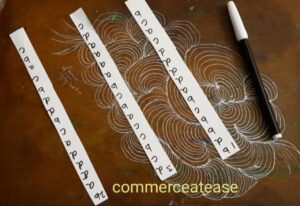
First, you need a small piece of chart paper*.
- Just cut the required number of strips of 1" width and with length equal to the column of answers.
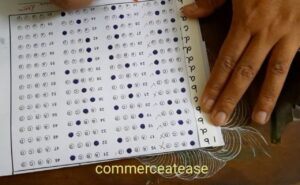
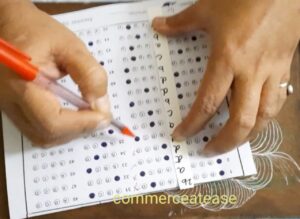
- Write the code of answers on these strips by keeping them parallel to the answer sheet columns, one by one.
- Write the no. of column on these strips or use colors for separate identification of strips for different columns of answers.
You are ready to check your first OMR answer sheet easily.
Second, if you have a blank OMR answer sheet.
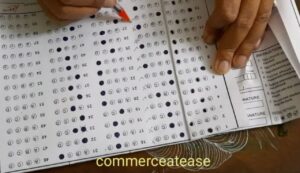
- You have to make it ready for checking, by darkening the correct answers in this sheet.
- Then fold this sheet along its different columns of answers.
Now, you can start checking your OMR answer sheets, error free, with least of your effort and time.
Happy Checking the first lot of your OMR Sheets.
After counting the correct answers, multiply the number of correct answers with Total Questions to be done/Maximum Marks of the test.
You can read and watch more tips for teachers here.